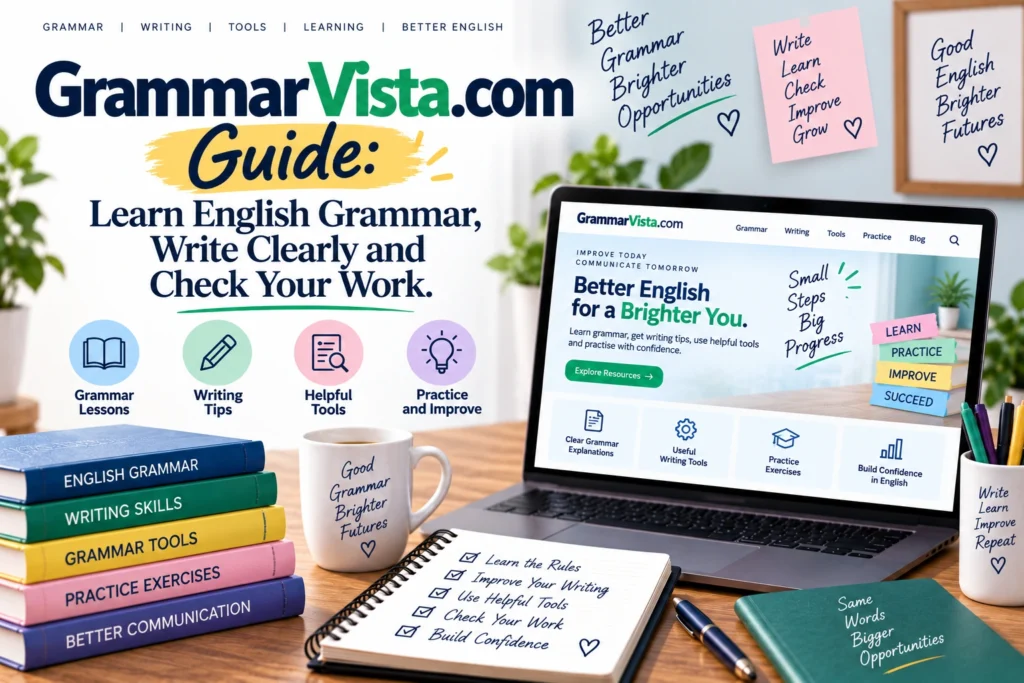
GrammarVista.com Guide: Learn English Grammar, Write Clearly and Check Your Work.
Introduction
Improving English is easier when you understand why a sentence is correct instead of simply replacing a mistake with another word. That idea sits at the center of GrammarVista.com , an English-learning and writing resource that combines grammar lessons, vocabulary guidance, writing advice, practice exercises and browser-based writing tools.
The platform is designed for a wide range of users, from students and English learners to professionals who want clearer emails, reports and everyday writing. Its main checker provides corrections along with explanations, while the site’s educational material covers grammar, sentence structure, vocabulary, common mistakes and writing techniques.
This guide explains what GrammarVista.com offers, how its tools work, who can benefit from them and why understanding the rule behind a correction can be more valuable than simply fixing a sentence.
What Is GrammarVista.com?
GrammarVista.com is an English grammar, vocabulary and writing resource designed to help people understand and improve their written English.
The platform combines educational material with practical writing tools. Instead of focusing only on correcting mistakes, GrammarVista emphasizes explanations so users can understand the reason behind a correction.
Its main areas include:
- English grammar
- Vocabulary
- Writing
- Commonly confused words
- Sentence structure
- Punctuation
- Practice exercises
- Grammar mistakes
- Spelling
- Writing tools
- Grammar guides
The site describes itself as an independent English-learning resource and states that its lessons are written and reviewed by Rizwan Aslam, listed as its editor.
What Makes GrammarVista.com Different?
Many grammar tools are built around a simple process:
Find mistake → suggest replacement → move on.
GrammarVista takes a more educational approach.
Its checker aims to show:
- What the user wrote.
- What the correction should be.
- Other possible choices where appropriate.
- The reason behind the correction.
This approach can help users recognize recurring mistakes rather than repeatedly correcting the same problem without understanding it.
Learning the Rule Matters
Suppose someone repeatedly writes:
The list of items are ready.
A basic correction tool may simply change are to is.
A learning-focused explanation can go further by explaining that the main subject is list, which is singular, while of items is additional information.
Understanding that pattern makes it easier to handle similar sentences later.
GrammarVista.com Grammar Checker
The grammar checker is one of the platform’s central features.
According to the current tools page, GrammarVista checks 134 grammar and usage rule groups covering areas such as subject-verb agreement, verb forms, countable and uncountable nouns, comparatives, prepositions and commonly confused words.
The homepage also explains that the checker is intended to identify grammar and usage problems while providing explanations rather than simply replacing text.
Examples of Grammar Areas
The tool covers issues involving:
- Subject-verb agreement
- Verb forms
- Articles
- Prepositions
- Comparatives
- Countable nouns
- Uncountable nouns
- Confusing word pairs
This makes the checker particularly useful for people who are learning English and want feedback on recurring mistakes.
GrammarVista Spelling Checker
Grammar is only one part of good writing.
A sentence can have correct grammar but still contain spelling errors.
GrammarVista’s tools page states that its spelling checker uses a dictionary containing 276,734 English words. It can identify words that do not appear in the dictionary and suggest possible alternatives when a close match is available.
Why Spelling Still Matters
Spelling mistakes can affect how professional or polished a piece of writing appears.
They can be especially noticeable in:
- Resumes
- Cover letters
- Business emails
- Academic assignments
- Website content
- Reports
- Applications
- Professional proposals
A spelling checker can therefore act as a useful final review step.
However, users should remember that names, specialist terminology and unusual words may not always appear in a dictionary.
Clarity and Word Choice
GrammarVista also provides tools focused on clarity and word choice.
The platform identifies wordy phrases and certain weak expressions, then provides stronger alternatives.
For example:
- due to the fact that → because
- in order to → to
- has the ability to → can
These changes do not necessarily fix grammar.
Instead, they make sentences more direct.
Why Clear Writing Is Important
Clear writing reduces the amount of work a reader has to do.
Compare:
We are writing this email in order to provide you with information regarding the changes.
with:
We are writing to explain the changes.
The second sentence communicates the same basic idea with fewer words.
GrammarVista’s writing guidance emphasizes putting the main idea first and removing unnecessary wording.
GrammarVista Word Counter
Another practical feature is its word counter.
The tool can display:
- Word count
- Character count
- Sentence count
- Estimated reading time
These measurements update as users type.
This can be useful when working with a specific writing limit.
For example, students may need to stay within an assignment’s word range, while writers may want to estimate how long a piece will take to read.
Vocabulary Learning on GrammarVista
Grammar and vocabulary are closely connected.
Knowing grammar rules helps you construct sentences, but having a broader vocabulary gives you more options for expressing ideas precisely.
GrammarVista includes vocabulary resources covering:
- Word meanings
- Synonyms
- Word usage
- Commonly confused words
- Vocabulary practice
The platform presents vocabulary learning as part of its broader goal of helping readers communicate more effectively.
Why Vocabulary Choice Matters
Consider these two sentences:
The presentation was good.
The presentation was informative and concise.
Both are grammatically correct.
The second sentence communicates more specific information because the vocabulary is more precise.
That is why vocabulary development should accompany grammar study.
Writing Guidance for Clearer English
GrammarVista also provides guidance on writing clearly.
Its writing material emphasizes several practical principles.
Put the Main Idea First
Readers should not have to search through a long introduction to discover the point.
Instead:
State the main idea → explain it → provide supporting information.
Remove Unnecessary Words
Some phrases can be shortened without changing their meaning.
For example:
- At this point in time → now
- In order to → to
- Due to the fact that → because
- Has the ability to → can
Choose Precise Words
Strong writing does not necessarily mean complicated writing.
In many situations, a simple and precise word is better than an impressive-sounding alternative.
GrammarVista Practice and Exercises
Learning becomes more effective when users actively apply a rule.
GrammarVista provides practice-oriented content designed to help readers test their understanding. Its broader platform includes practice questions and exercises alongside lessons and writing tools.
A useful learning cycle is:
- Learn a grammar rule.
- See examples.
- Practice the rule.
- Write your own sentence.
- Check the sentence.
- Review the explanation.
- Repeat the pattern later.
This approach turns grammar from something to memorize into something to use.
Who Can Benefit From GrammarVista.com?
GrammarVista is designed for several types of users.
Students
Students can use grammar explanations, spelling checks and writing guidance when working on assignments and essays.
English Learners
People learning English as an additional language can benefit from explanations that show why a particular construction is correct.
Professionals
Professionals can use writing tools when preparing:
- Emails
- Reports
- Proposals
- Presentations
- Business documents
Clear writing can make workplace communication easier to understand.
Job Seekers
Job applications require careful writing.
A grammar and spelling review can help identify avoidable errors in:
- Resumes
- Cover letters
- LinkedIn summaries
- Application answers
Teachers and Parents
Teachers and parents can also use grammar explanations as supplementary learning material.
The platform specifically identifies students, ESL learners, parents, teachers and professionals among its intended audiences.
Is GrammarVista.com Free?
Yes. GrammarVista.com currently states that its main resources and checker are free to use without an account.
The site states that there is no sign-up requirement, no email requirement and no paid tier restricting better corrections.
That makes the platform accessible to users who want to test a sentence without creating an account first.
Does GrammarVista.com Store Your Writing?
According to GrammarVista.com’s current tool and about pages, its main checker operates in the user’s browser and the text entered into the checker is not uploaded, stored or logged by the site.
The site also says users can inspect their browser’s network activity to verify that text is not being sent while they type.
There is one stated distinction: the site’s word explorer may send the individual word being looked up to an external dictionary service. The site says the user’s full text is not sent through that feature.
Why Privacy Matters
Privacy is especially important when using writing tools for sensitive material.
Users may paste:
- Work documents
- Personal messages
- Academic assignments
- Business information
- Draft applications
Understanding how a tool handles text is therefore an important part of choosing a writing assistant.
Can GrammarVista Replace a Teacher or Editor?
No.
GrammarVista explicitly states that its checker is not intended to replace a teacher or editor.
That limitation is important.
Automated tools are useful for mechanical problems, but human judgment is still necessary for questions such as:
- Is the argument convincing?
- Is the information accurate?
- Is the tone appropriate?
- Is the paragraph in the right position?
- Does the article communicate its intended message?
- Is the writing suitable for the target audience?
A grammar checker can help polish writing, but it cannot fully understand every communication goal.
What GrammarVista.com May Not Catch
No grammar checker catches every possible writing problem.
GrammarVista itself lists several limitations.
Its checker may not reliably identify issues such as:
- Certain agreement errors involving complex noun phrases
- Comma placement
- Run-on sentences
- Tense consistency across longer passages
- Correctly spelled words used in the wrong context
- Tone
- Argument quality
- Overall organization
The site explicitly warns that a clean result does not guarantee that writing is completely correct.
Why Human Proofreading Still Matters
Consider:
I went to the store for some flour, but I bought flowers instead.
Every word may be spelled correctly.
The grammar can also be correct.
Yet context determines whether flour or flowers was intended.
That is why proofreading remains valuable even after automated checking.
American and British English
GrammarVista.com uses American English as its default while also recognizing British spelling differences.
For example:
| Meaning | American English | British English |
|---|---|---|
| Colour | color | colour |
| Favour | favor | favour |
| Honour | honor | honour |
| Labour | labor | labour |
Neither variety is inherently “more correct.”
The important principle is consistency.
If a document is intended for a US audience, American conventions may be appropriate. For a UK audience, British conventions may be preferable.
GrammarVista states that its dictionary accommodates both forms rather than automatically treating British spelling as an error.
GrammarVista.com for Students
Students can use the platform as part of a broader writing routine.
A practical workflow could look like this:
Step 1: Write Without Constantly Checking
Get your ideas onto the page first.
Step 2: Review the Structure
Check whether each paragraph has a clear purpose.
Step 3: Run a Grammar Check
Use the tool to identify mechanical issues.
Step 4: Read the Explanations
Do not simply accept every correction.
Understand the rule.
Step 5: Proofread Manually
Read the final version yourself.
This approach encourages learning instead of dependence on automated corrections.
GrammarVista.com for Professional Writing
Workplace writing benefits from the same process.
Before sending an important email or report:
- Check spelling.
- Review grammar.
- Remove unnecessary words.
- Make the main point obvious.
- Check names and figures manually.
- Read the document aloud.
- Consider whether the tone matches the recipient.
GrammarVista can assist with some of the mechanical steps, while the writer remains responsible for the message itself.
E-E-A-T: What Makes GrammarVista.com More Trustworthy?
GrammarVista publishes information about its editorial approach.
The site says its lessons are checked against established English usage, examples are written specifically for the site and American and British differences are labeled rather than presenting one variety as universally correct.
The site also identifies Rizwan Aslam as its editor and explains his role in writing and reviewing lessons and developing the site’s English-learning tools.
These are useful E-E-A-T signals because the site provides information about:
- Who produces the content
- How lessons are reviewed
- How examples are created
- How corrections are handled
- What the tools can and cannot do
GrammarVista.com vs. a Basic Grammar Checker
| Feature | GrammarVista.com | Basic Grammar Checker |
|---|---|---|
| Grammar checking | Yes | Usually |
| Spelling checking | Yes | Usually |
| Explanations | Yes | Varies |
| Vocabulary support | Yes | Varies |
| Writing guidance | Yes | Varies |
| Practice material | Yes | Varies |
| Word counting | Yes | Sometimes |
| Learning-focused approach | Strong focus | Often secondary |
| Human judgment | Still required | Still required |
The key distinction is not simply whether the platform corrects grammar.
It is whether the user is encouraged to understand the correction.
A Better Way to Use GrammarVista.com
For the best learning benefit, avoid treating the checker as a simple “fix everything” button.
Instead:
Write → Check → Understand → Rewrite → Practice.
Suppose the checker identifies a subject-verb agreement mistake.
Do not stop after accepting the suggested correction.
Ask:
- What is the subject?
- Is it singular or plural?
- Which word caused the confusion?
- Can I create another sentence using the same rule?
That extra step turns an automated correction into a learning opportunity.
Common Mistakes Worth Practicing
English learners frequently encounter problems involving:
- Your vs. you’re
- Their vs. there vs. they’re
- Its vs. it’s
- Affect vs. effect
- Then vs. than
- Fewer vs. less
- Subject-verb agreement
- Articles
- Prepositions
- Verb tenses
- Apostrophes
- Commas
- Sentence fragments
The exact mistake matters less than the learning process.
Once you understand why a mistake occurs, similar sentences become easier to handle.
Frequently Asked Questions
What is GrammarVista.com?
GrammarVista.com is an English-learning and writing resource covering grammar, vocabulary, spelling, sentence structure, writing and practice. It also provides browser-based writing tools designed to explain corrections rather than simply replace incorrect text.
Is GrammarVista.com free?
Yes, GrammarVista.com currently states that its main tools are free and do not require an account or email address. The site also says there is no paid tier restricting access to better corrections.
Does GrammarVista.com upload the text I enter?
GrammarVista.com states that its main grammar and spelling checker operates in the browser and does not upload, store or log the text entered into the checker. The site says its word-explorer feature is different because a single word lookup may be sent to an external dictionary service.
What does the GrammarVista grammar checker find?
The current tools page states that GrammarVista checks 134 grammar and usage rule groups, including subject-verb agreement, verb forms, articles, prepositions, comparatives and certain commonly confused words. It also provides spelling and word-choice checks.
Does GrammarVista support American and British English?
Yes. GrammarVista uses American English by default while recognizing British spelling differences. The site states that both varieties are supported and that British spellings are not automatically treated as mistakes.
Can GrammarVista replace a teacher or professional editor?
No. GrammarVista explicitly explains that automated checking cannot replace human judgment about argument, organization, tone and overall communication quality. It is best used as a supporting tool alongside proofreading and, when appropriate, feedback from a teacher or editor.
Conclusion
GrammarVista.com takes a learning-first approach to English grammar and writing.
Rather than focusing only on whether a sentence contains an error, the platform aims to explain what changed, what alternatives are available and why the correction works. Its current resources cover grammar, spelling, vocabulary, clarity, writing guidance, practice and word counting.
That makes the platform potentially useful for students, English learners, professionals, writers, teachers and anyone who wants to communicate more clearly.
The most effective way to use GrammarVista is not to depend on it blindly. Write your own sentence, check it, understand the rule, rewrite it and practice the same pattern. That process can turn a quick correction into a lasting English skill.