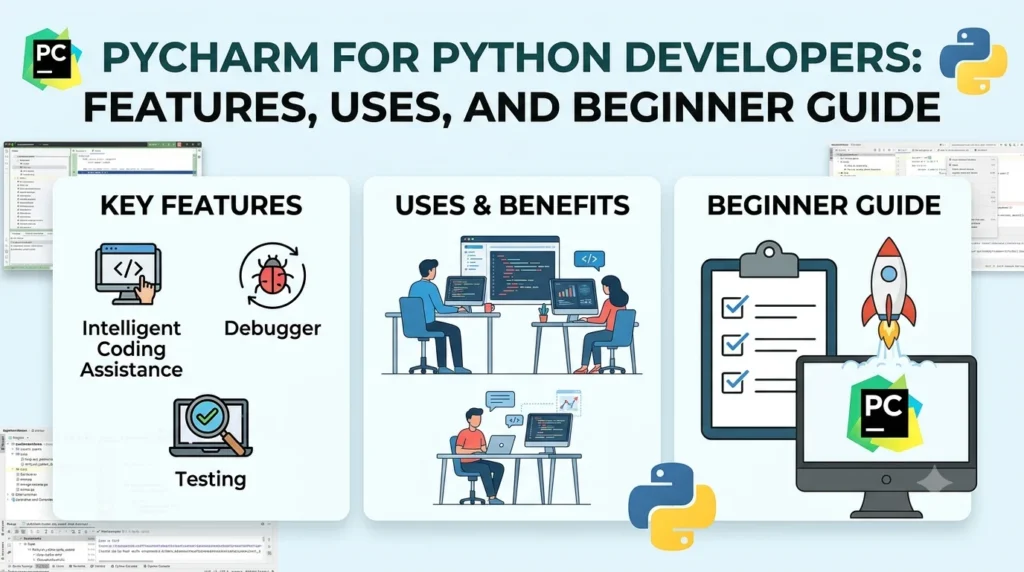
PyCharm for Python Developers: Features, Uses and Beginner Guide.
Introduction
Choosing the right development environment can make Python programming easier, especially when a project grows beyond a few simple scripts. PyCharm is a Python-focused integrated development environment (IDE) from JetBrains that brings coding, debugging, testing, project management, version control, database tools, notebooks, and other development workflows into one application.
PyCharm has also changed significantly in recent releases. Since PyCharm 2025.1, JetBrains has combined the former Community and Professional editions into one unified product. Core functionality remains available for free, while a Pro subscription provides additional advanced capabilities. New users also receive a 30-day Pro trial after installation.
The current 2026.2 generation adds improvements around Python development, debugging, AI-assisted development, package management, notebooks, type checking, and project environments.
This guide explains what PyCharm is, what you can do with it, which features matter most, how the current pricing model works, and whether it makes sense for beginners and experienced Python developers.
Quick Answer: What Is PyCharm?
PyCharm is a cross-platform Python IDE developed by JetBrains. It is designed to help developers write, understand, test, debug, and maintain Python applications from a single development environment.
It runs on:
- Windows
- macOS
- Linux
PyCharm’s core functionality is free, while a Pro subscription unlocks additional advanced capabilities. The current unified product also includes Jupyter Notebook support as part of its core functionality.
Key facts
| Feature | PyCharm |
|---|---|
| Developer | JetBrains |
| Main purpose | Python development |
| Product type | Integrated Development Environment |
| Operating systems | Windows, macOS, Linux |
| Free core version | Yes |
| Pro version | Available by subscription |
| Jupyter support | Included in core functionality |
| Debugging | Yes |
| Testing tools | Yes |
| Git integration | Yes |
| Database and SQL tools | Available |
| AI-assisted development | Available |
| Current release line | PyCharm 2026.2 |
What Does PyCharm Do?
PyCharm combines many tools that developers normally need when creating Python applications.
Instead of writing code in a basic text editor and switching between separate applications for debugging, testing, version control, package management, and project navigation, developers can perform many of these tasks inside the IDE.
The official PyCharm feature list includes areas such as:
- Python code editing
- Debugging
- Testing
- Refactoring
- Database and SQL development
- Python profiling
- Language support
- AI-assisted development
- Jupyter Notebook workflows
This integrated approach can be particularly useful when working on large applications containing many files and dependencies.
PyCharm’s Unified Product Model
One of the biggest changes to understand is the move away from the old Community-versus-Professional installation model.
Previously, PyCharm was offered as:
- PyCharm Community Edition
- PyCharm Professional Edition
Starting with PyCharm 2025.1, JetBrains combined them into a single unified PyCharm product.
The change means new users no longer need to decide which separate PyCharm edition to download.
Instead, the same installation provides access to core functionality, while advanced features can be unlocked through a Pro subscription.
What happens after installation?
JetBrains currently provides a 30-day Pro trial when you install the unified PyCharm product.
After the trial, users can either:
- Subscribe to Pro and continue using advanced features.
- Continue using PyCharm’s core functionality for free.
This model makes PyCharm more straightforward for users who want to start with free Python development and decide later whether they need advanced capabilities.
PyCharm Features That Matter for Python Development
1. Smart Python Code Editing
PyCharm is designed specifically around Python development rather than general text editing.
Its editor provides features intended to help developers understand their code while they work.
These capabilities include code completion, inspections, navigation, refactoring assistance, and code understanding.
For beginners, this can make unfamiliar code easier to explore.
Experienced developers can use the same tools to move around large projects more efficiently.
2. Debugging
Debugging is an important part of software development.
Instead of repeatedly adding print statements to determine what a program is doing, developers can use an IDE debugger to pause execution and inspect program state.
PyCharm supports Python debugging and provides tools for examining variables, stepping through code, and identifying problems.
The 2026.2 release made debugpy the default debugging engine for Python projects and Jupyter notebooks, using the Debug Adapter Protocol.
This is particularly useful when working with larger applications where identifying the exact source of a problem can otherwise take considerable time.
3. Testing
PyCharm integrates testing into the development workflow.
Python developers can create and run tests without leaving the IDE.
Testing can help developers:
- Check individual functions
- Verify application behavior
- Detect regressions
- Validate changes
- Organize larger software projects
PyCharm’s testing capabilities become more valuable as a project grows.
A small beginner script may not require extensive testing, while a production application can contain hundreds or thousands of test cases.
4. Refactoring
Refactoring means improving the structure of existing code without changing its intended behavior.
For example, a developer may need to:
- Rename a variable
- Rename a function
- Move code
- Change a class structure
- Improve organization
PyCharm provides refactoring tools that can help developers make these changes more safely.
Its 2026.2 release line also included improvements to Python code insight, including more reliable refactoring and more precise type inference.
Jupyter Notebook Support
Jupyter Notebook has become an important part of Python workflows, particularly for:
- Data analysis
- Machine learning
- Data visualization
- Research
- Experimentation
- Education
The unified PyCharm product includes core Jupyter Notebook support. JetBrains says users can run, debug, render output, and use intelligent assistance with notebooks without requiring a Pro subscription for the core functionality.
The 2026.2.1 update goes further for AI-assisted workflows.
JetBrains added a Jupyter Notebook skill that allows supported AI agents to create, edit, and run .ipynb notebooks through PyCharm’s notebook model and live kernel.
That means notebook variables, models, and data can remain available across cells while an AI agent works with the notebook.
AI Features in PyCharm
AI-assisted programming has become another important part of modern IDEs.
PyCharm’s official feature page highlights JetBrains AI capabilities, including AI-assisted coding and the Junie coding agent. JetBrains describes Junie as an agent that can plan, write, refine, and test code within the development workflow.
PyCharm 2026.2 also introduced AI project generation among its new capabilities.
The important point is that AI features should be treated as development assistance rather than automatic guarantees of correct code.
Developers still need to:
- Review generated code
- Run tests
- Check dependencies
- Verify security
- Understand important logic
- Confirm that the implementation matches project requirements
AI can speed up development, but it does not remove the need for developer judgment.
Package Management and Python Environments
Python projects frequently depend on external packages.
Managing those packages correctly becomes especially important when a computer contains multiple Python projects.
PyCharm supports Python environments and package workflows that help developers keep project dependencies organized.
The 2026.2.1 update introduced a redesigned Python Packages tool window. JetBrains says the new interface presents packages and dependencies in a tree, provides faster package search, and supports package installation and version changes.
The update also introduced an Agent Environment Coordinator that gives supported AI agents information about a project’s configured Python interpreter and package-management tool. JetBrains says this is intended to reduce situations where an AI agent installs packages into the wrong environment.
Support for uv, Poetry and Other Tools
Modern Python development increasingly involves dedicated dependency and environment tools.
PyCharm 2026.2 improved support for tools and workflows involving:
- uv
- Poetry
- Hatch
- Virtual environments
- Python package management
The 2026.2 release also added multi-project support for uv, Poetry, and Hatch workspaces.
These capabilities can be useful for developers working on larger projects or repositories containing multiple related packages.
Database and SQL Development
Python applications often communicate with databases.
For example, a web application might use a relational database to store:
- Customer information
- Products
- Orders
- User accounts
- Application settings
PyCharm provides database and SQL capabilities as part of its broader development tooling. The official feature page lists Database & SQL alongside Python editing, testing, debugging, profiling, and refactoring.
The exact availability of some advanced database functionality depends on the PyCharm feature set and subscription level.
Web Development With PyCharm
Python is widely used for web development through frameworks and libraries.
Depending on the project and available PyCharm functionality, developers can work with Python web applications while managing their code, environments, tests, and debugging workflow inside the IDE.
Common Python web-development ecosystems include frameworks such as:
- Django
- Flask
- FastAPI
PyCharm can therefore serve as a central environment for developers building web applications rather than limiting them to simple Python scripts.
PyCharm for Data Science and Machine Learning
Python plays a major role in data science and machine learning.
A typical workflow might involve:
- Creating a Python environment.
- Installing required packages.
- Writing exploratory code.
- Running Jupyter notebooks.
- Training or evaluating models.
- Debugging Python code.
- Organizing the final project.
PyCharm’s Python development and Jupyter support can bring many of these steps together.
However, users should distinguish between the IDE and the libraries used for machine learning. PyCharm is the development environment; libraries such as NumPy, pandas, scikit-learn, PyTorch, and TensorFlow provide specialized functionality.
PyCharm 2026.2: What’s New?
The current 2026.2 release line introduced several notable changes.
According to JetBrains, PyCharm 2026.2 includes:
- debugpy as the default debugger
- Rust plugin support for Python extensions
- Improved uv and external utility workflows
- Multi-project support for uv, Poetry, and Hatch
- Editor minimap
- Pyrefly integration for faster type insights
- AI project generation
JetBrains also reported hundreds of fixes and improvements across the 2026.2 release line, including improvements to code insight, type inference, completion, imports, and refactoring.
What’s New in PyCharm 2026.2.1?
The 2026.2.1 update focuses heavily on AI-assisted development and Python package workflows.
Some notable additions include:
AI Agents in Jupyter
AI agents can work directly with Jupyter notebooks and live kernels.
Agent Environment Coordinator
AI agents can use information about the project’s configured Python environment and package-management system.
marimo Notebook Support
PyCharm 2026.2.1 adds support for marimo notebooks through a plugin developed by the marimo team.
Redesigned Package Window
The Python Packages tool window received a new interface for browsing, installing, updating, and managing packages.
Improved Type Checking
JetBrains also introduced clearer type mismatch messages and more detailed type information.
PyCharm and Plugins
Plugins allow developers to extend an IDE with additional functionality.
However, JetBrains has also been changing which plugins are bundled with PyCharm.
Starting with PyCharm 2026.2, several lower-usage plugins were removed from the default bundled set. JetBrains specifically discussed plugins including Data Wrangler, Hugging Face, and Google Colab. Compatible versions remained available through JetBrains Marketplace for PyCharm 2026.2, although the PyCharm team stopped actively maintaining those plugins.
This is useful to know if an older tutorial tells you that a particular feature is automatically included.
Software changes over time, so current documentation should take priority over older tutorials.
Is PyCharm Free?
Yes, PyCharm has a free core version.
The current unified product keeps core functionality free while offering Pro features through a subscription. Users receive a 30-day Pro trial when they install the unified PyCharm product.
This means beginners can start learning Python without immediately purchasing a subscription.
However, advanced users may want Pro features depending on their workflow.
The exact feature set and pricing can change, so anyone making a purchasing decision should check JetBrains’ current official pricing information rather than relying on an old blog post or video.
PyCharm for Beginners
PyCharm can be a good learning environment for people who are new to Python, but beginners should not feel that they need to learn every feature immediately.
A simple learning path works better.
Step 1: Learn Python Basics
Start with:
- Variables
- Data types
- Conditions
- Loops
- Functions
- Lists and dictionaries
- Classes
- Exceptions
Step 2: Create a Small Project
Build something simple, such as:
- Calculator
- To-do application
- Number guessing game
- File organizer
- Basic API client
Step 3: Learn the PyCharm Interface
Focus on:
- Project files
- Code editor
- Terminal
- Run button
- Debugger
- Python interpreter
Step 4: Learn Virtual Environments
Understanding isolated Python environments is important for real-world development.
Step 5: Add Git
Once you understand basic development, learn Git and connect your projects to a repository.
Step 6: Explore Advanced Features
Only after becoming comfortable should you explore:
- Advanced debugging
- Testing
- Database tools
- Jupyter
- AI assistants
- Profiling
- Framework-specific tools
This approach prevents the IDE from becoming more complicated than the programming language itself.
PyCharm vs. a Basic Code Editor
A basic code editor can be excellent for simple Python scripts.
PyCharm becomes more useful when a project requires integrated development tools.
| Area | Basic editor | PyCharm |
|---|---|---|
| Python editing | Yes | Yes |
| Code intelligence | Varies | Extensive |
| Debugging | Varies | Integrated |
| Testing | Often separate setup | Integrated |
| Project navigation | Basic to advanced | Extensive |
| Refactoring | Limited or plugin-based | Integrated |
| Jupyter | Varies | Supported |
| Database tools | Usually separate | Available |
| AI development | Depends on editor | Integrated options |
| Beginner learning curve | Often lower | Can be higher |
The choice depends on project complexity and personal workflow.
Someone writing a 30-line script may not need a full IDE.
A developer maintaining a large Python application may benefit from having more tools integrated into one environment.
Advantages of Using PyCharm
Python-Focused Development
PyCharm is built specifically around Python development.
Integrated Debugging
Developers can inspect program execution without relying entirely on external tools.
Strong Code Intelligence
Code completion, navigation, inspections, and refactoring can help developers work through complex projects.
Jupyter Integration
The unified product includes core Jupyter Notebook support.
AI-Assisted Development
JetBrains provides AI tools and the Junie coding agent as part of its current development ecosystem.
Cross-Platform Support
PyCharm is available for Windows, macOS, and Linux.
Potential Limitations
PyCharm is not necessarily the ideal choice for every Python user.
Resource Usage
A full IDE can require more system resources than a lightweight editor.
Learning Curve
Beginners may initially find the number of menus, tools, panels, and settings overwhelming.
Advanced Features Require Pro
Although the core product is free, some advanced functionality requires a Pro subscription.
Feature Changes
JetBrains regularly changes features and plugin support. Older tutorials may therefore describe workflows that no longer match the current version.
Who Should Use PyCharm?
PyCharm can be useful for several groups.
Beginners
New Python developers can use the free core functionality to learn programming and become familiar with professional development workflows.
Professional Python Developers
Developers building larger applications can benefit from integrated debugging, testing, refactoring, version control, and project management.
Data Scientists
Jupyter Notebook support makes PyCharm relevant to data-analysis and machine-learning workflows.
Web Developers
Python developers working with web frameworks can use PyCharm as their central development environment.
Students
Students can use the IDE to learn Python while gradually becoming familiar with tools used in professional software development.
Frequently Asked Questions
Is PyCharm completely free?
PyCharm offers a free core feature set. Advanced Pro functionality requires a subscription after the included 30-day Pro trial.
Is PyCharm good for beginners?
Yes. Beginners can use the free core features to learn Python, although the large number of IDE features can take some time to understand.
What is the difference between PyCharm Community and Professional?
The old separate Community and Professional products were combined into one unified PyCharm product starting with version 2025.1. Users now access core functionality for free and can subscribe to Pro for additional advanced features.
Does PyCharm support Jupyter Notebook?
Yes. Core Jupyter Notebook support is now included in the unified PyCharm product.
Can PyCharm be used for web development?
Yes. PyCharm supports Python web-development workflows and is designed to support Python, web, and data-science development.
Does PyCharm support AI?
Yes. JetBrains provides AI-assisted features and the Junie coding agent within its current PyCharm ecosystem.
What operating systems support PyCharm?
PyCharm supports Windows, macOS, and Linux.
What is the latest PyCharm version?
The current release line is 2026.2. JetBrains’ release documentation lists PyCharm 2026.2.2 as a September 2026 release within that line, while 2026.2.1 introduced additional AI, notebook, package-management, and type-checking improvements.
Final Thoughts
PyCharm has evolved from the old Community-versus-Professional model into a single unified Python IDE with free core functionality and optional Pro capabilities.
For beginners, the free core tools provide a practical way to learn Python without immediately paying for an IDE. More experienced developers can use features for debugging, testing, refactoring, Jupyter workflows, databases, package management, and AI-assisted development.
The 2026.2 release line also shows how PyCharm is adapting to modern Python workflows. Improvements involving uv, debugging, type checking, Jupyter, AI agents, and package environments make the IDE relevant to both traditional Python development and newer AI-assisted workflows.
The most important thing is to choose features based on the project rather than trying to use every tool available. Start with Python editing, running, debugging, and environments. Add testing, Git, notebooks, databases, and AI tools as your projects require them.
For current installation requirements, features, and subscription details, JetBrains’ official PyCharm documentation should remain the primary reference because IDE features and licensing can change between releases.