
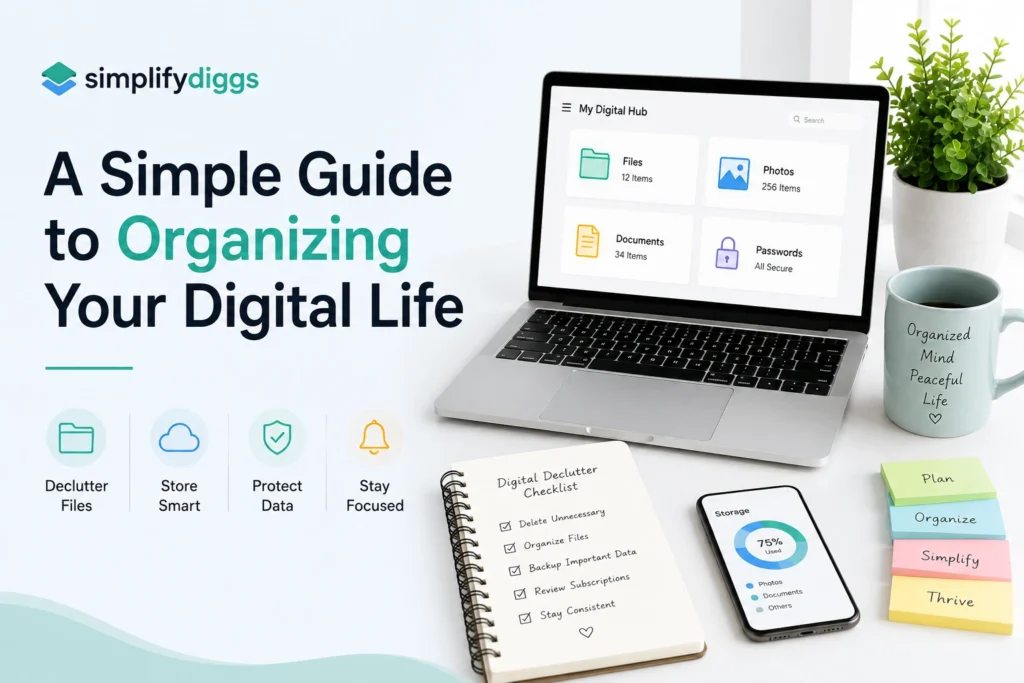
Simplifydiggs : A Simple Guide to Organizing Your Digital Life.
Introduction
Most people organize their physical spaces but rarely give the same attention to their digital spaces. Over time, phones become filled with unused apps, inboxes collect hundreds of messages, photo galleries become difficult to search, and important files end up scattered across different folders and devices.
The result is a different kind of clutter—digital clutter.
Organizing your digital life does not mean creating a complicated system or spending an entire weekend sorting every file you own. A few simple habits can make your devices easier to use and help you find important information without wasting time searching.
This guide explains practical ways to organize your files, emails, photos, apps, passwords, notifications, and online accounts while creating a digital routine that is easier to maintain.
What Does It Mean to Organize Your Digital Life?
Organizing your digital life means creating a clear and manageable system for the information, files, accounts, and devices you use regularly.
It can include:
- Organizing computer files and folders
- Cleaning up email
- Managing photos and videos
- Removing unused apps
- Controlling notifications
- Managing passwords
- Organizing cloud storage
- Reviewing online accounts
- Creating backups
- Developing better digital habits
The goal is not to have a perfectly empty inbox or a phone with only a handful of apps.
The goal is to make your digital environment easy to understand, easy to search, and easy to maintain.
Why Digital Organization Matters
Digital clutter can be surprisingly distracting.
When files are poorly organized, you may spend unnecessary time searching for documents. When notifications are constantly appearing, it can become harder to concentrate on the task in front of you.
A simple digital organization system can help you:
- Find information faster
- Reduce unnecessary distractions
- Keep important files easier to access
- Avoid duplicate files
- Manage storage more effectively
- Protect important information
- Create clearer digital routines
Think of digital organization as creating a system that works for your future self.
1. Start With a Digital Cleanup
Before creating a new system, take a quick look at what you already have.
You do not need to clean everything at once.
Start with the digital spaces you use most frequently:
- Phone
- Computer
- Cloud storage
- Photos
- Apps
- Password manager or saved passwords
Choose one area and finish it before moving to another.
A simple rule
Do not organize everything you have. Organize what you actually use.
This prevents the process from becoming unnecessarily complicated.
2. Create a Simple Folder System
One of the easiest ways to organize your digital life is to simplify your folders.
Instead of creating dozens of folders, create a small number of broad categories.
For example:
Documents
├── Personal
├── Work
├── Finance
├── Projects
├── Education
└── Important
You can then create smaller folders inside these categories when necessary.
Avoid overly complicated folders
If you need five minutes to decide where a file belongs, your system may be too complicated.
A good folder system should make the answer obvious.
3. Use Consistent File Names
A clear file name can save you from searching through dozens of documents later.
Instead of:
document-final-new2.pdf
Try:
2026-Tax-Documents.pdf
Or:
Project-Report-August-2026.docx
Useful file names often include:
- Topic
- Project name
- Date
- Version, if necessary
Keep naming consistent
For example, if you use dates, use the same format across your files.
Consistency matters more than the exact naming system you choose.
4. Clean Up Your Downloads Folder
The Downloads folder often becomes a temporary storage area that nobody remembers to clean.
It may contain:
- Images
- PDFs
- Installation files
- Documents
- Screenshots
- Duplicate files
- Old attachments
Set aside a few minutes to review it.
For every file, ask:
Do I need this?
If yes, move it to the appropriate folder.
If no, delete it.
If you are unsure, place it in a temporary folder and review it later rather than keeping everything permanently.
5. Organize Your Email Inbox
Email can become one of the biggest sources of digital clutter.
Start by removing obvious messages you no longer need.
Then organize the emails that matter.
Useful email categories
Depending on your needs, you could create folders or labels such as:
- Work
- Personal
- Bills
- Travel
- Receipts
- Projects
- Important
However, avoid creating a separate folder for every possible topic.
The purpose of email organization is to make important messages easier to find, not to create another complicated filing system.
Unsubscribe From Unwanted Emails
If you repeatedly delete emails from the same sender without reading them, consider unsubscribing.
This prevents future clutter instead of simply cleaning up the current clutter.
You can also review promotional subscriptions occasionally and remove the ones you no longer find useful.
6. Give Your Photos Some Structure
Photos are often difficult to organize because people take them continuously.
You don’t necessarily need to sort every photo manually.
Start with the obvious clutter:
- Duplicate photos
- Blurry images
- Accidental screenshots
- Unwanted downloads
- Old memes
- Multiple versions of the same picture
Then create useful albums for photos you want to find later.
Example albums
- Family
- Friends
- Travel
- Work
- Events
- Important Documents
- Favorites
Keep the number of albums manageable.
Your photo system should help you find meaningful memories—not create another task you have to maintain.
7. Organize Your Smartphone
Your phone is probably one of the most frequently used digital devices in your life, so it deserves attention.
Start with your apps.
Ask yourself:
When did I last use this?
If you cannot remember, consider whether you still need it.
Remove apps that:
- You no longer use
- Duplicate another app
- Constantly distract you
- Were downloaded for a temporary purpose
You can also organize frequently used apps so they are easy to reach.
Keep Your Home Screen Simple
Your home screen does not need to contain every application you own.
Keep your most frequently used tools accessible and move less important apps elsewhere.
A simpler home screen can make it easier to find what you need without scrolling through multiple pages.
8. Take Control of Notifications
Notifications can quickly turn your phone into a constant source of interruptions.
Review your notification settings and ask:
Does this app need permission to interrupt me?
Notifications that may deserve immediate attention include:
- Calls
- Important messages
- Calendar reminders
- Essential work alerts
- Security notifications
Other notifications may be less important.
Reducing unnecessary alerts can make your phone feel significantly quieter without requiring you to stop using it.
9. Organize Your Cloud Storage
Cloud storage is convenient, but it can become cluttered just like a physical hard drive.
Start by identifying your major storage categories.
For example:
Cloud Storage
├── Work
├── Personal
├── Photos
├── Documents
├── Projects
└── Archive
Then review:
- Duplicate files
- Old documents
- Large unnecessary files
- Shared files you no longer need
- Outdated versions
Keep active and archived files separate
If you rarely use something but want to keep it, move it into an Archive folder.
This keeps your active workspace cleaner without forcing you to delete useful records.
10. Create a Basic Backup Habit
Organization is not only about finding things. It is also about making sure important information is not easily lost.
Important files may include:
- Personal documents
- Financial records
- Work files
- Photos
- Educational materials
- Important contacts
Consider keeping important information backed up using appropriate storage options.
The exact backup system depends on your devices and needs, but the principle is simple:
Do not let one device be the only place an important file exists.
11. Improve Your Password Organization
Passwords are another important part of digital organization.
Avoid relying on one simple password for multiple important accounts.
A reputable password manager can help you store and manage unique passwords without requiring you to remember every one manually.
Also consider enabling multi-factor authentication (MFA) on important accounts when it is available.
Prioritize accounts such as:
- Banking
- Cloud storage
- Work platforms
- Social media
- Shopping accounts
Your primary email account deserves particular attention because it may be used to recover access to many other accounts.
12. Review Your Online Accounts
Over the years, it is easy to create accounts for websites and services you no longer use.
Make a list of important online accounts and review them periodically.
Ask:
- Do I still use this?
- Does it contain important information?
- Is my current email address attached to it?
- Do I still need the account?
- Are the security settings appropriate?
Closing unnecessary accounts can reduce the amount of digital information you have to manage.
13. Use a Digital Calendar for Important Dates
A calendar can become your central place for time-sensitive information.
Use it for:
- Appointments
- Meetings
- Birthdays
- Deadlines
- Travel
- Events
- Recurring responsibilities
Avoid filling your calendar with every tiny task.
Use it primarily for things that need to happen at a specific time or date.
For flexible tasks, a task list may be more appropriate.
14. Create a Digital “Important Information” Folder
Consider creating one clearly labeled location for important digital documents.
Depending on your circumstances, it might contain:
- Identification-related documents
- Insurance information
- Important receipts
- Educational certificates
- Employment documents
- Financial records
Protect sensitive files appropriately and avoid storing confidential information in places where unauthorized people can easily access it.
The purpose of this folder is simple:
When something important is needed, you know exactly where to look.
15. Don’t Keep Multiple Copies of Everything
Duplicate files are one of the easiest ways to create digital clutter.
For example, you may have:
Report.docxReport-new.docxReport-final.docxReport-final-2.docxReport-final-final.docx
Instead, establish a simple naming convention.
For projects that require multiple versions, use clear version numbers or dates.
For example:
Project-Report-v1
Project-Report-v2
Project-Report-Final
This makes it much easier to identify the correct file.
16. Build a Weekly Digital Reset
You don’t need to perform a huge digital cleanup every month if you maintain your system regularly.
Set aside a short period once a week to review your digital environment.
Your checklist could include:
- Clear Downloads
- Delete unnecessary screenshots
- Process important emails
- Review upcoming calendar items
- Organize new documents
- Remove unnecessary notifications
- Check important tasks
The exact schedule is less important than consistency.
A Simple Digital Organization Routine
If you want a straightforward system, try this:
Daily
Spend a few minutes:
- Processing important messages
- Saving files in the correct location
- Deleting obvious digital clutter
Weekly
Review:
- Downloads
- Screenshots
- Calendar
- New documents
Monthly
Review:
- Apps
- Cloud storage
- Subscriptions
- Online accounts
- Backup status
Occasionally
Review:
- Passwords and security settings
- Important documents
- Long-term archives
- Old devices and stored data
Common Digital Organization Mistakes
Creating too many folders
More folders do not automatically mean better organization.
Keep your structure simple enough to understand quickly.
Keeping everything “just in case”
Some files may genuinely be important. Others simply create clutter because you are afraid you might need them someday.
Use reasonable judgment and archive important information rather than keeping every duplicate.
Starting a complicated system
If your system takes too much effort to maintain, you are unlikely to keep using it.
Start small.
Ignoring security
Digital organization should include account security, backups, and sensible access controls.
Trying to clean everything in one day
A huge cleanup can feel overwhelming.
Work in small sections instead.
A 30-Minute Digital Decluttering Plan
If you want to start today, try this simple sequence:
First 5 minutes
Delete obvious unnecessary files and screenshots.
Next 5 minutes
Remove unused apps from your phone.
Next 5 minutes
Unsubscribe from unwanted email lists.
Next 5 minutes
Organize your Downloads folder.
Next 5 minutes
Review important files and make sure they are stored somewhere appropriate.
Final 5 minutes
Review notification settings and turn off unnecessary alerts.
You won’t completely organize your digital life in 30 minutes, but you will create momentum.
FAQ: Organizing Your Digital Life
What is the easiest way to organize your digital life?
The easiest way is to start with the digital spaces you use most, such as your phone, email, computer files, and photos. Create simple categories, remove obvious clutter, and develop small habits to keep everything organized.
How often should I organize my digital files?
A quick weekly cleanup is usually easier to maintain than occasional large cleanup sessions. You can also perform a more thorough review of apps, cloud storage, and online accounts periodically.
How should I organize files on my computer?
Create a small number of broad folders based on how you use your files, such as Work, Personal, Projects, Finance, and Archive. Use consistent file names so documents are easy to search and identify.
How can I reduce digital clutter on my phone?
Start by removing unused apps, deleting unnecessary screenshots and downloads, organizing frequently used apps, and reducing unnecessary notifications. Small changes can make your phone easier to navigate.
Should I delete old digital files?
Not necessarily. Important or legally relevant files may need to be retained, while unnecessary duplicates and outdated material can often be removed or archived. When unsure, consider whether the file has a clear future purpose before deleting it.
How can I keep my digital life organized long term?
Create simple systems that require little effort to maintain. A short weekly reset, consistent file naming, regular email cleanup, and periodic account reviews can prevent digital clutter from building up again.
Conclusion
Organizing your digital life does not require a complicated productivity system.
Start with the places that create the most friction: your phone, inbox, files, photos, and cloud storage. Remove what you no longer need, organize what matters, and create simple rules that make future clutter easier to prevent.
The most effective digital organization system is not the one with the most folders, labels, or apps. It is the one you can actually maintain.
Start with one digital space today, spend a few minutes improving it, and gradually build a cleaner digital environment that supports the way you actually live and work.