
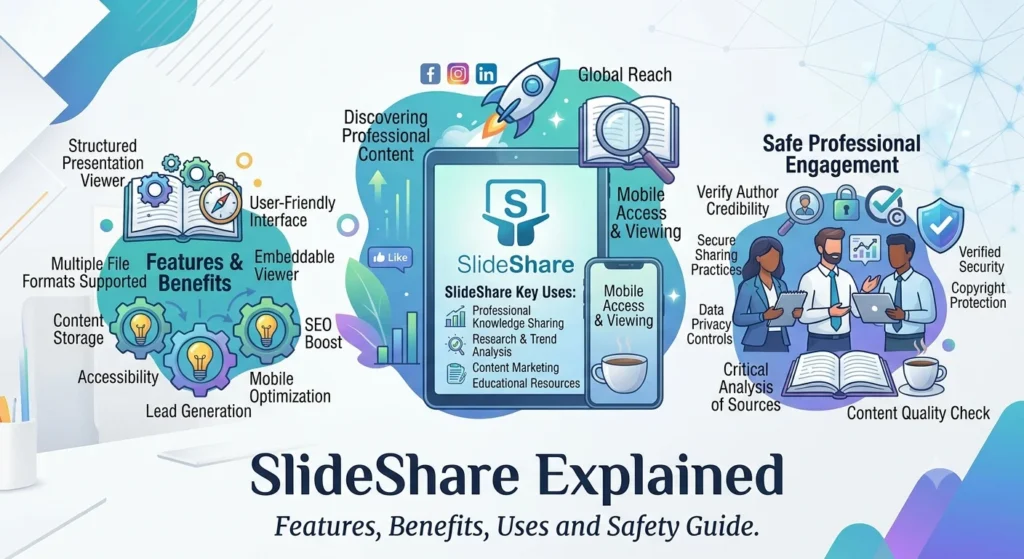
SlideShare Explained: Features, Benefits, Uses and Safety Guide.
Introduction
Presenting information clearly is an important skill in education, business and professional communication. However, creating a useful presentation is only one part of the process. People also need ways to discover existing presentations, learn from experts and share their own knowledge with a wider audience.
SlideShare is an online platform designed around this idea. It allows people to explore presentations and documents on a wide range of subjects, from marketing and business strategy to technology, education and professional development. It also gives users an opportunity to publish their own knowledge in a visual format.
The platform has evolved over time, so older articles about SlideShare may describe features, ownership arrangements or access options that no longer reflect the current website. Its present offering includes presentation discovery, document sharing, content uploads and subscription-based features. The official website also advertises AI-assisted tools for rewriting, rephrasing and simplifying slide content.
But what exactly is SlideShare, how does it work, and is it useful for students, businesses, marketers and professionals?
This guide explains SlideShare’s purpose, key features, benefits, limitations, pricing considerations and safety practices. It also explores how creators can use the platform to share knowledge and how businesses can incorporate presentation content into their broader content marketing strategy.
Quick Answer: What Is SlideShare?
Its current website supports formats including PowerPoint, PDF and Word documents. Some additional features, such as downloading complete presentations in their original format and an ad-free experience, are advertised as subscription benefits.
| Detail | Information |
|---|---|
| Platform | SlideShare |
| Official website | https://www.slideshare.net/ |
| Main purpose | Discover, read and share presentations and documents |
| Common content formats | PowerPoint, PDF and Word documents |
| Main subject areas | Business, education, marketing, technology and professional knowledge |
| Typical users | Students, educators, professionals, businesses and content creators |
| Access | Free browsing and uploading, with additional paid features advertised |
| Main benefit | Presenting and discovering information in a visual, structured format |
| Important consideration | Check copyright, accuracy, source credibility and current subscription terms |
SlideShare is best understood as a knowledge-sharing platform rather than a traditional presentation-design application. It can help people find existing material and distribute their own work, although the quality of individual uploads depends on the person or organisation that created them.
1. What Is SlideShare?
SlideShare is an online platform that helps people discover and share knowledge through presentations and documents. Instead of presenting information exclusively as a long article or a video, creators can organise ideas into a sequence of slides that readers move through at their own pace.
For example, a digital marketing professional might publish a presentation explaining keyword research. A teacher could share revision material, while a business consultant might upload a market research report or a presentation about improving customer experience.
The format is useful when information benefits from headings, diagrams, charts, examples and concise explanations.
The current SlideShare website describes itself as a destination for discovering presentations and sharing knowledge. Its homepage displays presentation and document examples alongside options for uploading content.
Is SlideShare a website or an application?
SlideShare is primarily accessed through its website. People can browse published content, search for topics and upload supported documents.
It should not be confused with a dedicated presentation-creation program. Software such as PowerPoint is commonly used to create slides, while SlideShare is designed to help users publish and discover presentation-based material.
Some presentations may have been created using PowerPoint or similar tools before being uploaded. Others may be prepared as PDFs or documents, depending on the creator’s workflow.
Who owns SlideShare?
SlideShare’s business history has changed over time. It became part of LinkedIn in 2012, and Scribd subsequently acquired SlideShare. LinkedIn’s help documentation discusses the Scribd acquisition and directs users towards Scribd for SlideShare-related support.
Because platform arrangements and product features can change, users should rely on the current official SlideShare website and its linked support resources for up-to-date information.
What is SlideShare used for?
SlideShare can be used to:
- Learn about unfamiliar subjects through presentations.
- Explore professional ideas and industry knowledge.
- Share educational resources with students or colleagues.
- Publish business presentations and research summaries.
- Distribute guides, reports and other documents.
- Showcase expertise and build a professional content portfolio.
- Find inspiration when preparing a presentation of your own.
The platform’s usefulness depends on the content available and how effectively the creator communicates the information.
2. How Does SlideShare Work?
SlideShare connects people who want to learn from existing material with people who want to share their knowledge.
The process is relatively straightforward: creators prepare a supported document, upload it to the platform and provide information that helps visitors understand its subject. Readers can then discover and view available content.
For people who want to learn
A visitor can browse SlideShare to find presentations about a subject of interest.
For instance, someone researching digital marketing might look for presentations about search engine optimisation, paid advertising, social media strategy or conversion rate optimisation.
The reader can review the material, identify useful ideas and investigate important claims further. A presentation is often a starting point for learning rather than a replacement for detailed research.
For people who want to publish content
Creators can upload eligible files through the platform’s upload page. SlideShare currently lists supported formats that include PowerPoint files, PDF documents and Word files.
Once content is published, its title and subject help potential readers understand what it covers. A clear title and an accurate description can make the material easier to recognise and discover.
Creators should review the final file before publishing. Formatting problems, missing information or unreadable text can reduce the value of an otherwise useful presentation.
For businesses and professionals
Businesses can use presentations to communicate ideas that may be more effective visually than in a long block of text.
A company could share a product overview, an educational guide or a summary of industry research. Professionals may also use presentations to demonstrate their knowledge of a subject.
However, publicly sharing a presentation is not the same as guaranteeing that it will reach a particular audience. Results depend on the relevance and quality of the content, its discoverability and how people respond to it.
3. Key Features of SlideShare
SlideShare’s current offering combines content discovery with tools for publishing and working with presentations.
Presentation and document discovery
One of the platform’s main purposes is to help people find existing knowledge.
Users can explore presentations on subjects that interest them, including professional topics and general learning material. The official homepage displays content in multiple formats and across a range of categories.
This can be useful when researching a topic, gathering ideas or looking for a different way to explain a complex concept.
Support for multiple document formats
SlideShare’s upload page lists PowerPoint formats such as PPT and PPTX, along with PDF and Word formats such as DOC and DOCX. Other listed PowerPoint formats include PPSX and POTX.
This flexibility allows creators to prepare material using familiar office software and then publish it in a supported format.
Always check the upload interface for the latest format requirements before preparing a file.
Content publishing and sharing
SlideShare enables users to upload content for an audience to discover.
A well-prepared presentation can help a creator explain an idea, share research or communicate professional experience. It may also be useful as a resource to reference in a wider content strategy.
Before publishing, review the file for confidential information, personal data, copyright issues and errors.
AI-assisted content tools
SlideShare currently advertises AI-assisted tools that can rewrite, rephrase or simplify existing slide content. Its homepage presents these tools among the features available through its subscription offering.
Such tools may help users adapt wording or make explanations more accessible. However, AI-generated revisions still need human review.
Check technical claims, preserve the intended meaning and ensure that any revised content does not introduce inaccurate statements.
Download options
SlideShare advertises downloading complete presentations in their original file format as a subscription benefit. Its website distinguishes this from free access, which includes browsing and uploading.
Download availability can depend on the user’s plan and the platform’s current terms. Do not assume every presentation can be downloaded freely or in an editable format.
When you need a copy, use the options provided by the platform and respect the creator’s rights.
Embedding and sharing content
Presentation content may be useful beyond the SlideShare website itself. Depending on the available sharing options, users may be able to share links or embed content on other websites.
Embedding can make a presentation accessible alongside a related article, resource page or professional portfolio.
Before using an embed, confirm that the presentation is public and that the available sharing settings permit the intended use.
4. How to Use SlideShare
Getting started with SlideShare does not require advanced technical knowledge. The following steps explain how to explore the platform and publish your own material.
Step 1: Visit the official website
Open https://www.slideshare.net/ in your browser.
Check the address carefully before signing in or entering account information. This helps you avoid confusing the official website with unrelated pages or third-party services.
Step 2: Search for a topic
Think about what you want to learn before browsing.
For example, you could search for:
- Digital marketing strategy
- SEO for beginners
- Business presentation examples
- Project management fundamentals
- Customer experience research
- Personal development and career planning
Specific searches can make it easier to find relevant material than broad searches such as “business” or “technology.”
Step 3: Evaluate the presentation
Before relying on a presentation, check who created it, when it was published and whether it provides sources for its claims.
A slide deck can be visually appealing without being accurate. This matters particularly for presentations that include statistics, financial advice, medical information, legal explanations or claims about changing technology.
Use authoritative sources to confirm information that could influence an important decision.
Step 4: Prepare your own content
If you want to publish a presentation, first decide what the audience should learn.
A useful structure might include:
- A clear title and introduction.
- The problem or question being addressed.
- A short explanation of the main concepts.
- Supporting examples, evidence or visuals.
- Practical recommendations.
- A concise summary and relevant references.
Avoid placing too much text on one slide. Each slide should communicate a clear idea and support the overall purpose of the presentation.
Step 5: Upload the file
Visit the SlideShare upload page and follow the instructions shown.
Choose a supported file, review the formatting and provide accurate details about the content. The current upload page also reminds users to respect intellectual property rights and warns against uploading material they did not create when they are unsure about its copyright status.
Step 6: Review your published content
After uploading, check the presentation as a reader would see it.
Look for missing slides, broken formatting, unreadable text or incorrect information. Confirm that the title accurately describes the presentation and that the content does not expose private or confidential information.
If your account or the current publishing interface provides editing options, use them to correct any issues.
5. Who Uses SlideShare?
SlideShare can serve different audiences because presentations are used in education, business and professional communication.
Students and learners
Students can use presentations to review concepts, explore examples and discover alternative explanations of a subject.
A slide deck may help summarise a topic before an examination or provide an introduction to a field of study. However, it should not automatically be treated as an authoritative academic source.
Check references and compare important information with textbooks, research papers or educational materials from credible institutions.
Teachers and educators
Educators may find presentations useful for developing lessons, explaining difficult ideas or reviewing different approaches to teaching.
A relevant presentation can provide inspiration for lesson planning, although teachers should ensure that any material they reuse is accurate and appropriately licensed.
Business professionals
Managers, consultants and employees can use presentations to communicate project updates, explain strategies or share professional knowledge.
For example, a consultant could prepare a presentation about process improvement, while a project manager might share a structured overview of project planning principles.
Entrepreneurs and business owners
Entrepreneurs may use SlideShare to explore business concepts, study presentation styles and share information about their industry.
A well-designed company presentation can help explain a business model, describe a service or communicate findings from original research.
Sensitive commercial information should remain private unless the organisation has deliberately approved its release.
Marketers and content creators
Marketers can use presentations to repurpose research, summarise long-form content or explain a campaign strategy.
For example, a detailed blog post about keyword research could become a shorter slide deck highlighting the main steps, common mistakes and practical recommendations.
The presentation should offer genuine value on its own rather than simply duplicate content without considering how people use the format.
6. Benefits of SlideShare
SlideShare offers several potential benefits for people who want to discover and distribute knowledge.
Information in a visual format
Presentations divide information into smaller sections. Headings, diagrams, charts and examples can make a subject easier to follow when used appropriately.
This format may be especially useful for explaining processes, comparisons and step-by-step methods.
Convenient professional learning
Users can explore material on subjects they want to understand without needing to attend a live presentation.
A slide deck can be reviewed at a convenient time, making it useful for independent learning and research.
Knowledge sharing
The platform gives creators a way to publish presentations and make their expertise accessible to others.
This can be useful for educators, consultants, researchers, businesses and professionals who want to explain what they know.
Content repurposing
Existing knowledge can often be adapted into more than one format.
For example, a business report may be summarised as a presentation, while a presentation may provide the foundation for a blog article or a training resource. Each version should be adapted to its audience rather than copied mechanically.
Potential professional visibility
Publishing useful material may help a creator demonstrate expertise and give interested readers a way to discover their work.
However, visibility is not guaranteed. A presentation’s performance depends on its subject, quality, discoverability and audience relevance.
Research and inspiration
SlideShare can provide examples of how other people structure information and communicate ideas.
When using it for inspiration, learn from the approach while developing original content and respecting copyright.
7. Limitations of SlideShare
Although SlideShare can be useful, it has limitations that readers and creators should understand.
Content quality varies
Presentations are created by different individuals and organisations. Their expertise, research methods and editorial standards may vary considerably.
Some presentations may be detailed and well-sourced, while others may contain unsupported claims or outdated information.
Always evaluate the source instead of assuming that a published presentation is correct.
Some information becomes outdated
Technology, regulations, marketing platforms and business practices can change.
A presentation created several years ago may still explain a stable concept correctly, but its statistics, product instructions or recommendations may no longer be current.
Check publication dates and confirm time-sensitive claims using recent, reliable sources.
Downloading may require payment
SlideShare’s current homepage advertises free browsing and uploading, while complete downloads in original file formats and certain other benefits are associated with its subscription offer.
This means users should not assume that every presentation can be downloaded for free.
Review the current plan details and payment terms before starting a trial or subscription.
A presentation may lack detail
Slides are designed to communicate information concisely. Consequently, a presentation may leave out explanations, evidence or context that would appear in a full report.
For complex subjects, look for supporting documents and primary sources.
Reach is not guaranteed
Publishing content does not guarantee views, leads, backlinks or professional opportunities.
Creators still need a clear audience, useful material and an effective distribution strategy. Results should be measured rather than assumed.
Copyright restrictions still apply
Content that can be viewed online is not automatically free to reproduce, redistribute or use commercially.
Check the applicable licence and obtain permission where necessary. When in doubt, create original material or use resources with clearly stated reuse permissions.
8. Is SlideShare Free?
SlideShare offers a free access option, but some features are promoted as part of a paid subscription.
According to its current homepage, users can browse, read and upload content without a subscription. The site also advertises a free 30-day trial for additional benefits, including downloads in original file formats, AI-assisted text tools and an ad-free experience. Its displayed offer lists a price of US$11.99 per month after the trial.
Prices, promotional offers, billing arrangements and feature availability may change or vary by location. Confirm the current checkout details before subscribing.
What can you do for free?
The website currently advertises free access to browse and upload content. This can be sufficient for users who mainly want to explore presentations or publish their own work.
What may require a subscription?
The platform lists benefits such as downloading complete presentations in their original file formats, using certain AI tools and browsing without ads as subscription features.
Check the current plan page for the complete list of included features and restrictions.
Is a paid subscription worth it?
The answer depends on how often you use the platform.
A person who occasionally reads presentations may be satisfied with free access. Someone who regularly needs original files or wants to use the additional tools may find a paid plan more relevant.
Before purchasing, consider how frequently you will use the extra features and whether another source provides the material you need.
9. Is SlideShare Safe and Legitimate?
SlideShare is an established presentation-sharing platform with a public website and a stated focus on helping people discover and share knowledge. Its current website provides information about its features, access options and uploading process.
Nevertheless, the existence of a platform does not guarantee that every presentation, file or external link is reliable.
How to assess a presentation’s credibility
Before relying on information, consider these questions:
- Who created the presentation?
- Does the author have relevant knowledge or experience?
- When was the material published?
- Are statistics supported by credible sources?
- Does the presentation distinguish facts from opinions?
- Can its important claims be confirmed elsewhere?
- Are external links relevant and trustworthy?
These checks are particularly important when the presentation covers financial decisions, health, law, cybersecurity or other high-impact subjects.
Protect your account and personal information
Use a strong, unique password for your account and enable additional account security measures if available.
Be careful with unexpected messages asking for login credentials, payment information or verification codes. Access the official website directly rather than following suspicious links.
Do not upload documents that contain confidential business information, private customer data or personal details you have not authorised for public release.
Be careful with downloads
Only download content through the platform’s legitimate interface or another source you have independently verified.
A presentation that contains an external download link should be assessed separately. Do not assume that every file mentioned by a creator is safe.
Respect intellectual property
SlideShare’s upload page explicitly highlights intellectual property rights and warns users against uploading material they did not create when they are uncertain about its copyright status.
Creators should use original work, properly licensed assets or material for which they have permission. Readers should also avoid copying a presentation for commercial use without checking the relevant rights.
10. How Businesses and Marketers Can Use SlideShare
Businesses can incorporate presentations into a wider communication and content marketing strategy when the format suits their audience.
Turn research into a presentation
Long reports, surveys and industry analyses can be difficult to scan quickly. A concise presentation can highlight the key findings, explain their significance and direct readers towards the complete research.
Use accurate statistics, provide source references and explain the limits of the data.
Repurpose existing blog content
A blog article may contain enough useful information to support a related presentation.
For example, an SEO agency could adapt an article about local SEO into a slide deck covering Google Business Profile optimisation, local landing pages, customer reviews and website performance.
The presentation should provide a coherent summary and practical value, not just place every paragraph from the article onto a slide.
Demonstrate subject expertise
Consultants, agencies and other professional service providers can use presentations to explain their methods and share educational insights.
A marketing agency might publish a guide to campaign measurement, while a financial consultancy could share a general explanation of budgeting principles.
Avoid presenting general educational material as personalised professional advice where that distinction matters.
Support sales and customer education
Businesses can use visual guides to explain a product, demonstrate a process or answer common customer questions.
For example, a software company could publish a presentation explaining a workflow, while a training provider might share an overview of its learning approach.
Make sure the content is accurate and does not reveal customer information or confidential business details.
Support content distribution
A presentation can become part of a broader content campaign that includes a blog post, email newsletter, social media updates and a resource page.
Each channel should have a clear purpose. Use the presentation to explain the main idea visually, the blog post to provide more detail and the newsletter to reach people who have chosen to receive updates.
Measure meaningful results
If the platform or your wider analytics setup provides relevant data, monitor performance indicators such as views, engagement, referral visits and enquiries.
A large number of views does not necessarily mean that a presentation generated business value. Connect the results to your actual objective, such as education, audience engagement or qualified leads.
11. SlideShare and SEO: What Should You Know?
SlideShare may form part of a search and content distribution strategy, but its SEO value should be assessed realistically.
Can SlideShare presentations appear in search engines?
SlideShare’s upload page states that uploaded content can be indexed by Google and other search engines.
However, indexing is not guaranteed for every upload, and being indexed does not guarantee high rankings or significant traffic.
Search visibility depends on multiple factors, including relevance, competition, accessibility and how search engines evaluate the available content.
How to optimise a SlideShare presentation
If you are publishing a presentation for discoverability, follow these practices:
Choose a descriptive title. Explain the subject clearly and use the main phrase that your intended audience is likely to search for naturally.
Write a useful description. Summarise what readers will learn without stuffing the text with repeated keywords.
Organise the slides logically. Use meaningful headings and a clear structure so the audience can follow the material.
Provide original value. Include useful examples, research, explanations or practical recommendations rather than producing a thin copy of existing content.
Use relevant references. Cite reliable sources for statistics, research findings and claims that require evidence.
Link to useful resources where appropriate. If permitted by the platform and relevant to the presentation, direct readers to a related article, guide or business resource.
Promote the presentation. Share it with a relevant audience through your website, newsletter or professional channels rather than relying solely on organic discovery.
Do SlideShare backlinks improve rankings?
A link from a presentation or profile should not be treated as a guaranteed SEO ranking benefit.
The value of a link depends on its context, attributes, relevance and how search engines handle it. Publishing a presentation solely to generate backlinks is less useful than creating a genuinely valuable resource for people.
For businesses, SlideShare should be considered one possible distribution channel—not a replacement for a well-structured website, helpful content, technical SEO and a credible backlink strategy.
12. SlideShare vs Other Ways to Share Presentations
Different tools serve different purposes. The best choice depends on whether you want to create slides, distribute documents or explore presentations made by other people.
| Option | Main purpose | Best suited for |
|---|---|---|
| SlideShare | Discover and share presentations and documents | Publishing knowledge and exploring existing material |
| Microsoft PowerPoint | Create and edit presentations | Building professional slide decks |
| Google Slides | Create and collaborate on presentations online | Team editing and shared presentation work |
| PDF documents | Distribute a fixed-layout document | Reports, guides and files that should preserve formatting |
| LinkedIn document posts | Share documents in a professional social feed | Professional updates and audience engagement |
These options are not necessarily direct competitors. PowerPoint and Google Slides are primarily creation tools, while SlideShare focuses on presentation discovery and sharing.
A creator might build a presentation in PowerPoint or Google Slides, export it to a supported format and then publish it through a suitable sharing platform.
13. Final Thoughts
SlideShare provides a way to discover and share knowledge through presentations and documents. It can be useful for students exploring a subject, professionals learning from others, educators preparing resources and businesses communicating ideas visually.
Its main strengths are presentation-based learning, content discovery and the opportunity to publish useful material. The current platform also advertises additional features for subscribers, including downloads in original file formats and AI-assisted text tools.
However, readers should assess the credibility and freshness of individual presentations, while creators need to consider copyright, privacy and content quality before uploading their work. Paid features and subscription terms should also be checked directly with the platform.
For businesses and marketers, SlideShare may complement blog content, professional resources and other distribution channels. Its value comes from sharing relevant, well-supported information—not from assuming that every upload will generate traffic, backlinks or leads.
Ultimately, SlideShare is most useful when people approach it as a knowledge-sharing resource: explore material thoughtfully, verify important claims and publish original content that genuinely helps the intended audience.
What is SlideShare used for?
SlideShare is used to discover, read and share presentations and documents. People use it for professional learning, research, education, business communication and knowledge sharing.
Is SlideShare free to use?
SlideShare currently advertises free browsing and uploading. Certain features, including downloading complete presentations in their original file format and an ad-free experience, are promoted as subscription benefits. Check the official website for current terms.
Can I download presentations from SlideShare?
Download options depend on the presentation and the platform’s current access rules. The official website advertises complete downloads in original file formats as a subscription benefit. Confirm availability before subscribing or expecting a download.
Can I upload my own presentations to SlideShare?
Yes. The official upload page allows users to submit supported files, including PowerPoint, PDF and Word formats. Review the current upload requirements and ensure that you have the rights to publish the material.
Is SlideShare a presentation-making tool?
SlideShare is primarily a presentation-sharing and discovery platform. People typically create their presentations using suitable software and upload the finished file to share it with an audience.